AI Rap Video Generator
Turn a photo of you, a friend or your pet into a lip-synced rap video. Free lyrics and a free 15-second preview.
Upload a photo of a person or a pet, type what the rap is about or paste your lyrics, and the AI rap video generator does the rest: it writes the bars, raps them over a beat in an original voice, and lip-syncs your photo to the track. Lyrics and a 15-second audio preview are free. A finished video is $9.99.
Pick a template
 Diss trackA fire-breathing roast for your friend, over a drill beat.
 Birthday rapCake, candles and a verse with their name in it.
 Cat rapYour cat finally says what it thinks of you.
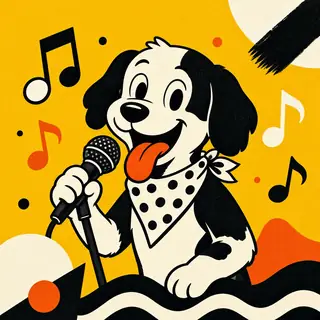 Dog rapGood-boy bars from your dog, over boom bap.
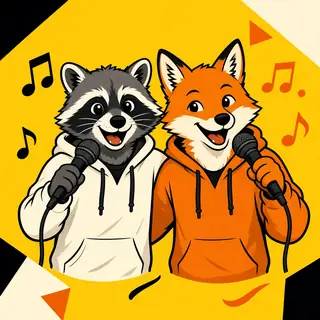 Rap duoTwo photos, one track, trading lines.
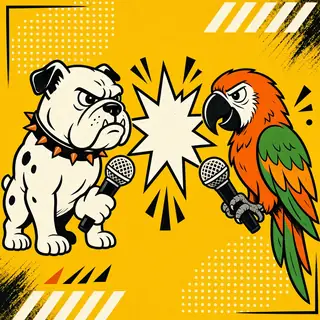 Rap battleTwo rappers face off, verse for verse.
Turn one photo into a rapper in a few minutes. Use the generator above: add a front-facing photo of yourself, a friend who agreed, your cat or dog, or a character you drew, then type what the rap is about. The AI writes the verse, raps it over the beat you choose in an original voice, and lip-syncs the face in your photo to the track. Writing lyrics and hearing a 15-second preview are free.
How to make an AI rap video online
The form works top to bottom in four short steps.
1. Add a photo
Choose One rapper for a solo video or Two rappers to upload a second face. JPG, PNG and WebP photos work. Pick a picture where one face looks straight at the camera with the mouth visible.
2. Write the lyrics
Type the topic in a few words, for example "my cat judging my cooking". Pick a beat (boom bap, trap, drill, old school, party or lo-fi) and a length of 15 or 30 seconds, then press Write lyrics free. The verse appears in the lyrics box, where you can rewrite any line or paste your own lyrics instead.
3. Hear it
Press Free 15-second preview to hear the opening of the track rapped over your beat. If a line trips over itself, edit the lyrics and preview again.
4. Make the video
Choose HD or Standard, confirm that you have the right to use the photo and that everyone shown is an adult, a pet or a drawing, then press Make the video. A lip-sync model animates the mouth, head and shoulders in time with the words. Most videos take three to ten minutes, so you can leave the tab open and come back.
What you can make with it
A rap video is a fast way to say something that a text or a card can't. A few ideas people start with:
- Pet raps. Your cat complaining about the empty bowl at 5 a.m., or your dog bragging about a stolen sock. See the cat rap and dog rap templates for photo tips.
- Birthday shout-outs. A verse with the birthday person's name and a couple of inside jokes, rapped by you. The birthday rap song template asks for exactly those details.
- Friendly roasts. Roast a roommate's habits or a group chat's worst habit with the diss track generator.
- Two-person videos. Rap side by side with the AI rap duo page, or trade bars on opposite sides with the AI rap battle page.
- Short posts for social feeds. A 15- or 30-second clip fits the short-video format people already scroll through.
If you only want the track without a face, start with the AI rap song generator. If you only need words to perform yourself, the AI rap lyrics generator writes and copies verses without making audio.
Tips for a better rap video
Use a clear, front-facing photo. One face, evenly lit, mouth visible and roughly 512 pixels across or more. Sunglasses, a hand over the mouth or a strong side angle make the mouth move less convincingly.
Crop out other faces. The model animates one face per photo. For two people, use Two rappers and upload one photo each.
Be specific in the topic. "Losing my keys every single morning" gives sharper bars than "life". One detail nobody would guess makes the verse feel personal.
Match the beat to the mood. Drill sounds tense and serious, which is funny for small complaints. Party suits birthdays. Lo-fi works for slow, sleepy pet raps. Boom bap and old school give a classic feel.
Keep lines short. Shorter lines are easier to rap clearly, and clear words make the lip-sync easier to read. Mark sections with [Verse] and [Hook] if you paste your own.
Preview before you commit. The free preview uses the same lyrics and beat as the final video, so what you hear is what the face will rap.
For a longer walkthrough with photo examples, read how to make a rap video with AI.
Price
Lyrics and a 15-second preview are free. One finished video, up to 30 seconds in HD, solo or duo, is $9.99. See pricing.
Questions
Is the AI rap video generator free?
Writing lyrics and the 15-second audio preview are free, and you don't need to create an account to try them. There is a daily limit on free requests so the tool stays open for everyone.
Do I need to sign up?
No. The site keeps a random visitor key in your browser so you can find your own videos and so free limits work. There is no login to create.
Can the rap sound like a famous rapper?
No. The vocal is always an original AI voice. You choose the beat and mood; no real artist's voice is cloned or imitated.
Can I use a photo of a celebrity or a child?
No. Use photos of yourself, of adults who agreed, of pets, or of characters you drew. Celebrities, public figures and children are not allowed.
Does it work with pets and drawings?
Yes, when the face is clear and facing the camera. Lip-sync models are trained mostly on people, so animal and cartoon results vary more. Front-facing pets with an open, visible mouth work best.
Can I post the video on TikTok, YouTube or other apps?
Yes. The lyrics and video made for you are yours as far as the law allows, and the 15- and 30-second lengths suit short-video feeds. Lyrics are written fresh for each request, not copied from existing songs.
Can I make a music video from my own MP3 or audio?
No. Audio uploads are not supported. The site writes and raps a new track from your topic or pasted lyrics, then lip-syncs your photo to it.